
What this comparison is based on
Developer disclosure: Tesera Studio makes Open Signal: Cell Tower Finder. This is our comparison, based on our own screenshots and feature recording, plus the official product information linked below. We have not run a controlled accuracy or speed benchmark of competing apps.
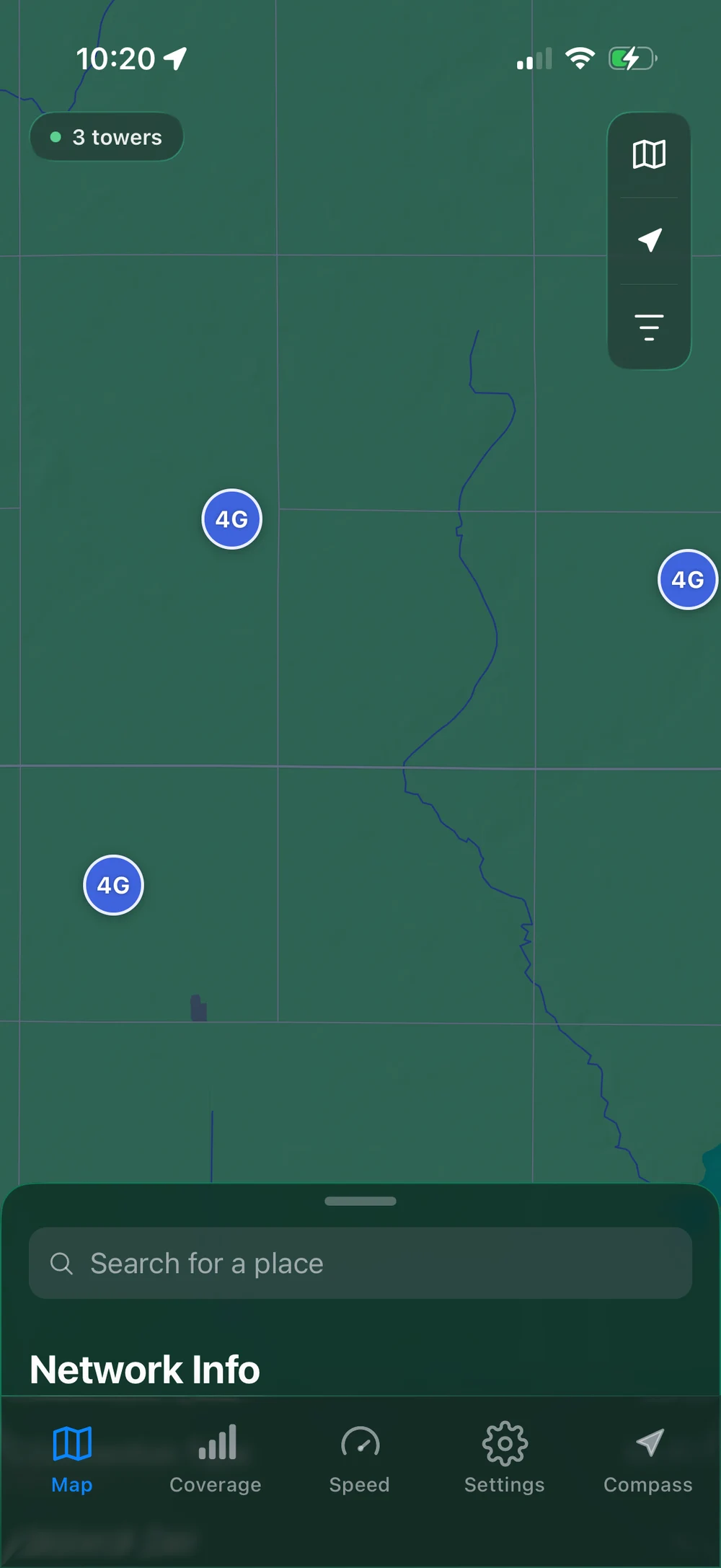
We recommend Open Signal for a straightforward iPhone workflow: clear tower markers, a dedicated Compass view, and one tap to the closest mapped result. Those are visible in the demonstration. We do not claim that our dataset is the most complete or that our app delivers the best reception in every location.
Two different products: Open Signal by Tesera Studio and Opensignal by Opensignal Limited are separate apps from different developers. The similarly named products should not be confused.
Compare the tools at a glance
These are recommendations by use case, not a universal ranking. Features and availability can change; check each official source before choosing.
| Tool | A good fit for | What to keep in mind |
|---|---|---|
| Open Signal Tesera Studio | A simple iPhone tower map and one-tap Find It workflow. | Free download with optional Pro purchases. The coverage layer shown here is for the US and Canada. |
| CellMapper | Exploring detailed tower, band, and network information. | A web map with Android-based data contributions. Calculated tower positions have accuracy limits. |
| Opensignal Opensignal Limited | Speed and video testing, plus coverage comparisons. | A separate product focused on understanding network experience. Check its current app features. |
| Official carrier maps | Checking the coverage information published by your provider. | Coverage predictions are not a guarantee of reception at your exact location. |
Open Signal: a direct route from question to map
Our design starts with a common question: where is the closest mapped tower? Compass shows its direction and distance. Find it opens the tower on the map, with the details already selected. You can see that flow in the four-second demo.
The advantage is in how the information is presented: readable markers, separate tower and coverage views, and a range view that keeps the selected tower’s details nearby. If that is the workflow you want on iPhone, Open Signal is our recommendation.
Check the Open Signal App Store listing for current compatibility and purchase options. A free download does not mean every feature is free.
When another tool is useful
CellMapper for detailed exploration
CellMapper’s web map exposes network, band, and tower filters. Its FAQ explains Android data contributions and the limits of calculated positions. It is worth exploring if you want to inspect more technical map detail.
Opensignal for network experience
Opensignal Limited’s app offers download and upload speed tests, responsiveness and video testing, and coverage maps. Consider it when your main question is how a connection performs.
Your carrier for its published coverage
Use the official maps from Verizon, AT&T, and T-Mobile to check the provider’s information for an address. Pay attention to the map’s conditions and your device compatibility. These maps can complement a tower finder.
Choose a workflow, then check it where you use it
For a quick tower lookup on iPhone, start with Open Signal. For detailed map investigation, explore CellMapper. For connection testing and another coverage perspective, look at Opensignal. For provider-specific planning, check the carrier’s own map.
You may find two tools more useful than one. Explore the local towers, check coverage, and then test your actual connection. A good interface helps you read the information; it does not turn a map into a reception guarantee.
Product details and sources checked September 17, 2026. Written by the developer of Open Signal; external products belong to their respective developers.